GPT Image 2.6: Faster Images, Native GIFs, and Editing You Can Draw On
On November 4, 2026, OpenAI shipped ChatGPT Images 2.6 plus two developer models, GPT-Image-2.6 Flare and GPT-Image-2.6 Sunburst. The headline is roughly 50% faster generation; the more interesting news for creators is native GIF output, saved reference images, and a markup layer that lets you draw on the region you want edited. Here is what is actually new, what it really costs, and how it fits a still-to-video workflow.
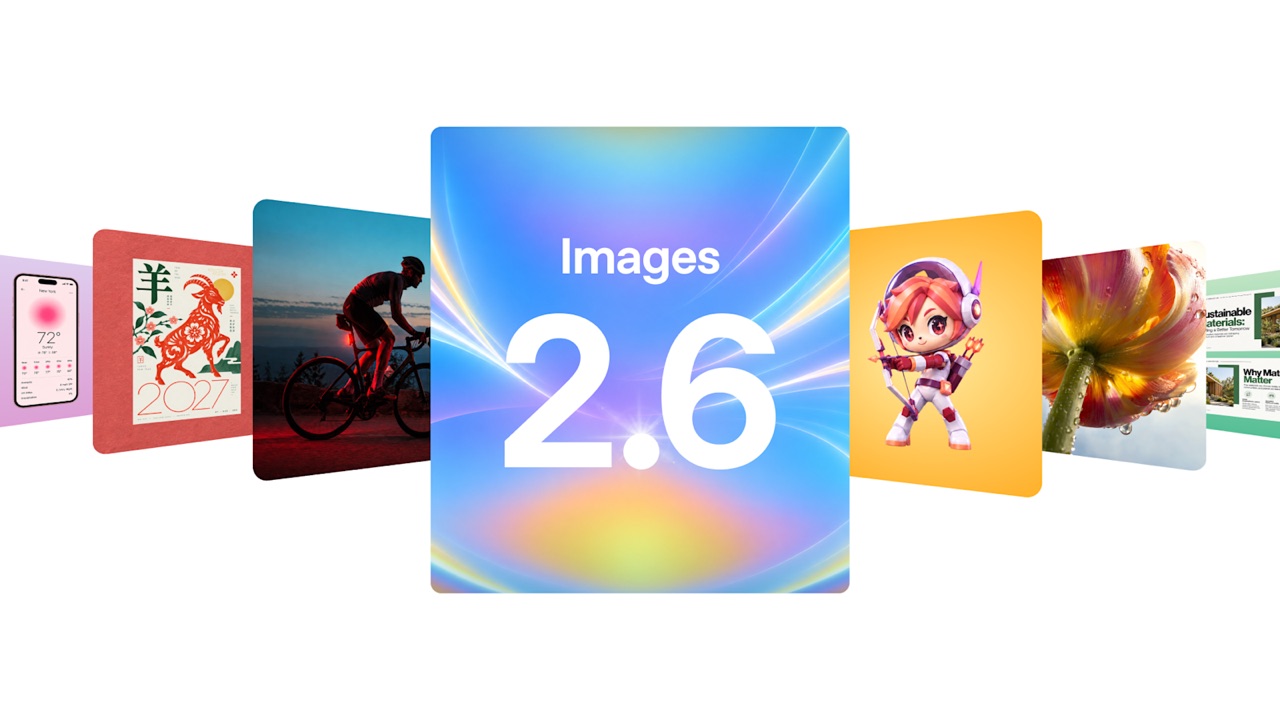
OpenAI's official Images 2.6 announcement artwork with sample generations shown at launch. Image credit: OpenAI.
I. What is GPT Image 2.6?
GPT Image 2.6 is the third generation of OpenAI's native image models, following GPT Image 1 and GPT Image 2.5. It landed on November 4, 2026 in two forms. In ChatGPT, Images 2.6 is the consumer experience: describe an image, animate it into a GIF, keep reference images of yourself or your pet on file, and reuse them in future prompts. On the API, the same technology ships as two models — GPT-Image-2.6 Flare and GPT-Image-2.6 Sunburst — plus integration points in Codex for developers. "Native" is the word that matters: the model renders images as part of its own reasoning rather than handing off to a bolted-on graphics tool, so instructions like "keep the dog exactly as it is, change only the background" survive the round trip. Every other feature in this release stands on that foundation.
II. Flare vs. Sunburst: two models for two jobs
For the first time, OpenAI split its image model into two named variants, and the split maps cleanly onto how creators work:
-
⚡
GPT-Image-2.6 Flare — the iteration model
Flare generates images in as little as six seconds. It is the variant for brainstorming: ten thumbnails before lunch, quick prompt experiments, high-volume posts where speed beats pixel perfection.
-
☀
GPT-Image-2.6 Sunburst — the finishing model
Sunburst trades speed for higher-fidelity output and greater consistency across successive edits. Independent text-to-image leaderboards placed it near the top within days of launch. When a final asset is due, run this one.
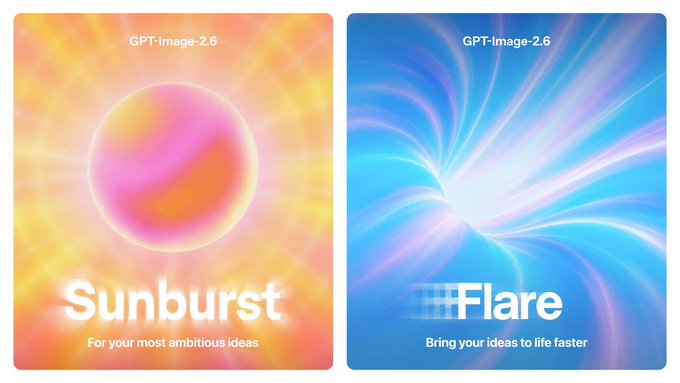
The two launch variants as shown in OpenAI's announcement: Sunburst for ambitious, detail-heavy work; Flare for speed.
III. What is genuinely new in 2.6 (beyond "faster")
Most coverage stops at "50% faster and it makes GIFs." Here is the full list of changes that matter to someone producing content with this model, including the API-level details most articles skip:
1. About 50% faster generation — and six-second drafts
Flare's sub-ten-second results make the "50% faster" claim feel real. The workflow consequence is bigger than the benchmark: prompting becomes conversational. Ask three different ways and pick the winner, instead of engineering one prompt and hoping.
2. Native GIF output, with real animation controls
This is the first OpenAI image model that animates on its own. In ChatGPT you can turn a prompt or an existing image into an animated GIF, adjust its speed, and edit individual frames. On the API the controls are explicit: output_format: "gif", with frame_count between 2 and 64 frames (default 9) and frame_duration_ms between 20 and 2000 per frame (default 200). Two honest caveats: the edit endpoint does not support GIF output, and GIF generation does not support streaming.
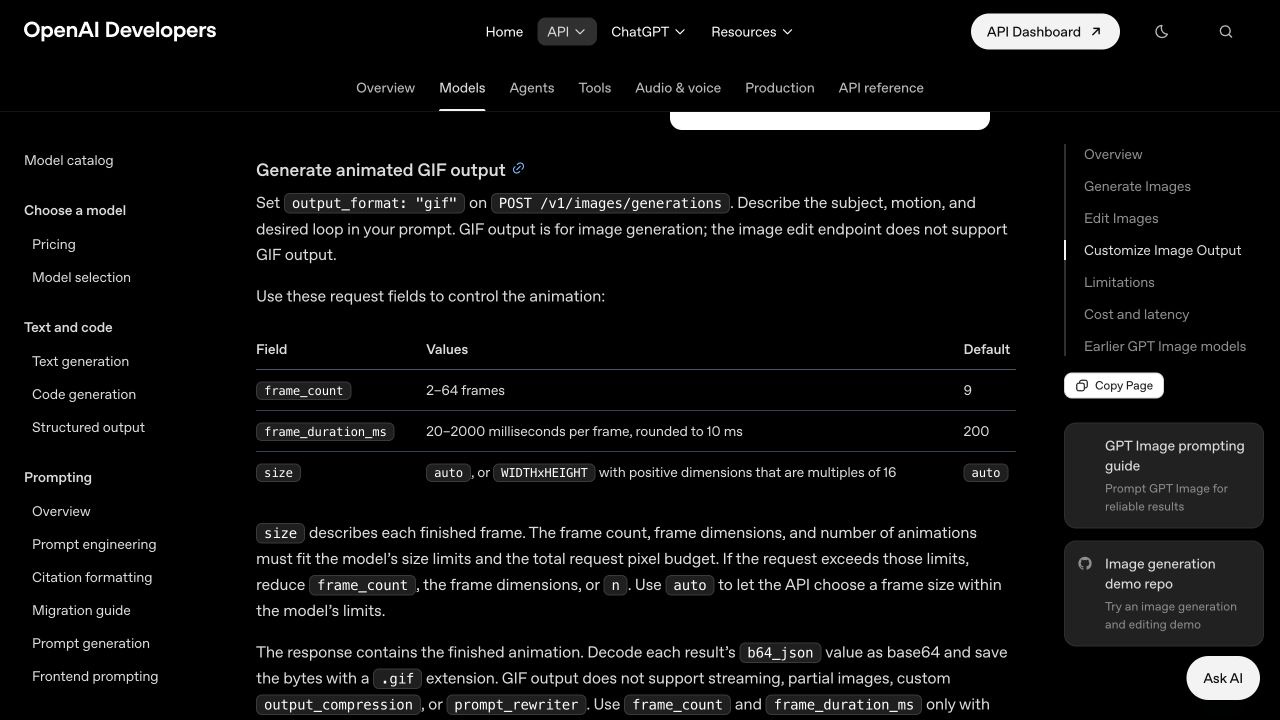
The GIF API as documented by OpenAI Developers: frame count, frame duration and per-frame size are request parameters.
3. Saved reference images: upload yourself once
Images 2.6 lets you save reference images — of yourself, your pet, or a recurring character — and reuse them in new generations without re-uploading. For series work ("my cat as an astronaut, episode 12"), this removes the most tedious step. Consistency is improved but still not perfect, so keep the best of a few attempts.
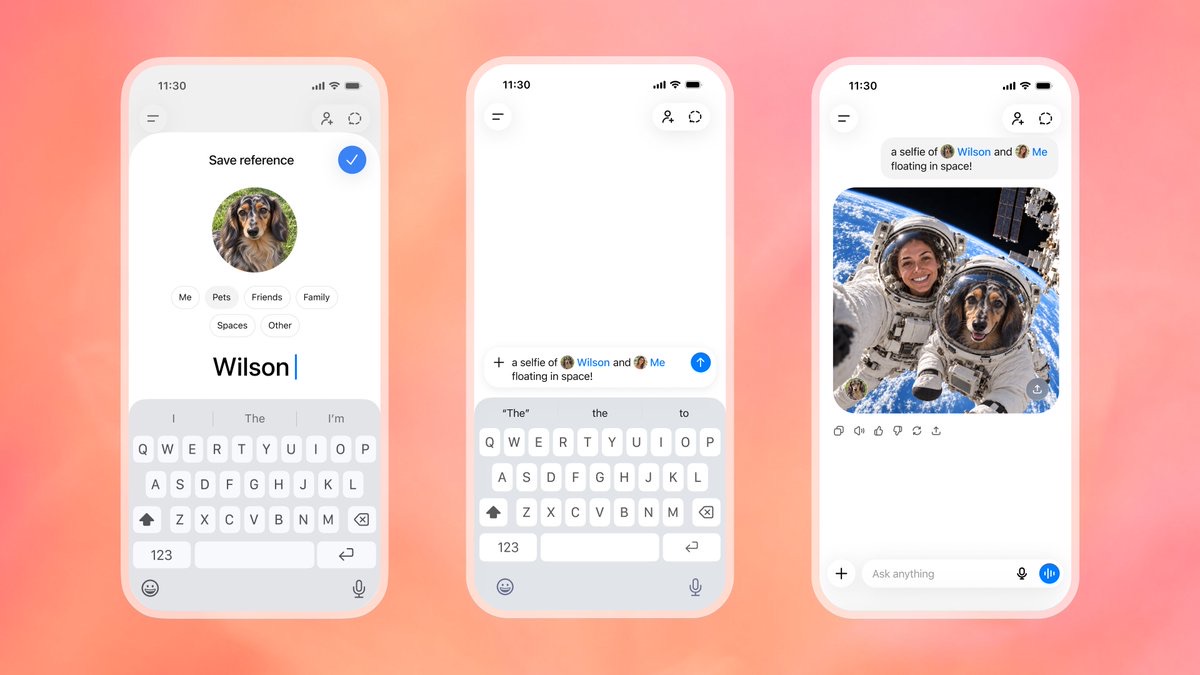
The reference-images flow from OpenAI's demo: save a pet once, then place it into any scene by name.
4. Markup editing: draw on the part you want changed
The most quietly useful addition for photo work is the markup input. Instead of describing a region in words, you supply a transparent layer with your marks drawn on it — circle the sofa, scribble out the logo — and the model treats the marked areas as the edit target. It inverts the old mask metaphor into something closer to how a client marks up a proof. On the API, markup cannot be combined with mask or the prompt rewriter.
5. A complexity dial (and an SVG export)
Two developer-facing controls round out the release. The new complexity parameter (default: high) governs how much planning the model does before rendering — lower it for simple assets, keep it high for compositional work. And 2.6 can export SVG for logos and line art; know the constraints before you build around it: SVG requires n=1, does not support streaming, partial images or output compression, and SVG edits are not supported.
IV. GPT Image 2.6 vs. GPT Image 2.5
Here is the generation-over-generation comparison in one table, including the cost line most summaries leave out:
| Capability | GPT Image 2.5 | GPT Image 2.6 |
|---|---|---|
| Generation speed | Baseline | ~50% faster; Flare as low as ~6s |
| Animated GIFs | Not supported | Native, 2–64 frames, adjustable timing |
| Region editing | Mask | Markup layer (draw = edit) + mask |
| Reference images | Re-upload each time | Saved and reusable |
| Effort control | None | complexity parameter (default high) |
| Vector export | None | SVG via API (n=1, no edits) |
| Token rates | $5 / $8 / $30 per M tokens | Same rates; low/medium bill ~4.2×/3.3× more tokens |
| Edit consistency | Moderate | Improved on Sunburst (not guaranteed) |
V. What it costs — and the gotcha in the cheap tiers
The sticker prices did not move: GPT Image 2.6 bills the same token rates as 2.5 — around $5 per million text input tokens, $8 per million image input tokens, and $30 per million image output tokens — landing a typical 1024-pixel image between a few cents and roughly twenty cents. But developers measuring the API's first days found that low and medium quality requests on 2.6 bill dramatically more output tokens than on 2.5 — roughly 4.2× at low and 3.3× at medium, with one documented example producing 1,136 output tokens at medium where 2.5 produced 344 for the identical prompt.
The translation: "cheap mode" is no longer cheap. Iterate with short prompts (input tokens count too), keep finals at high quality where the multiplier is still 1.0×, and budget on output tokens, not requests.
VI. Where creators actually benefit
New model features only matter if they shorten a real workflow. Three places where 2.6's specific changes pay off:
-
▶
Social content that moves
Looping GIFs from a single prompt — a spinning product, flickering candlelight — come straight out of the image model, with frame timing adjustable enough to match a platform's ad specs.
-
▶
The keyframe-to-video pipeline
Use Sunburst to nail the exact first frame, markup edits to fix details, then hand that frame to an image-to-video model (Seedance 2.0, Veo 3, Kling). A better keyframe means fewer video re-rolls — and video generations cost far more than image ones.
-
▶
Series content with recurring characters
Saved reference images make "same character, new episode" practical: a weekly mascot, a pet account, a recurring presenter. Upload once, then spend prompts on the scene, not the face.
VII. Five tips for better GPT Image 2.6 results
- Pick the variant by stage. Brainstorm with Flare; re-run the winning prompt on Sunburst for the final.
- Describe motion for GIFs explicitly. Say what moves, how fast, and what stays still — "slow orbit around the bottle, label locked, background static."
- Mark up instead of re-prompting. Draw on the region and say what to do with it; one marked-up round trip beats five rounds of "no, the other chair."
- Keep iteration prompts short. Input tokens bill too; refine a base prompt rather than rewriting it forty times.
- Request text-heavy layouts in the same pass. Native rendering keeps signage and packaging text legible — but proofread it; accuracy is strong, not infallible.
VIII. Frequently asked questions
What is GPT Image 2.6?
OpenAI's image generation and editing release from November 4, 2026: ChatGPT Images 2.6 plus the API models GPT-Image-2.6 Flare (speed) and Sunburst (quality). It adds ~50% faster generation, native GIF output, saved reference images, markup editing, a complexity parameter, and SVG export.
What is the difference between Flare and Sunburst?
Flare is the speed variant, with images in as little as six seconds. Sunburst is the quality variant, with higher-fidelity output and greater consistency across edits. Both bill at the same token rates.
Can GPT Image 2.6 generate animated GIFs?
Yes. In ChatGPT, turn a prompt or image into a GIF and adjust speed or edit frames. On the API, set output_format to gif with frame_count (2–64) and frame_duration_ms (20–2000ms per frame). The edit endpoint does not support GIF output.
How much does GPT Image 2.6 cost?
Rates match GPT Image 2.5: about $5/M text input, $8/M image input, $30/M image output tokens. But low and medium quality bill roughly 4.2× and 3.3× more output tokens than 2.5 did — budget on tokens, not requests; high quality keeps the 1.0× multiplier.
Does it support precise photo editing?
Yes — supply a markup layer drawn over the regions to change, and prefer Sunburst for edit precision. Consistency across rounds is improved but not guaranteed, so review multi-step edits.
Is GPT Image 2.6 better than GPT Image 2.5?
For speed, GIFs, editing control and series workflows — clearly yes. For a single high-quality still the gap is narrower, and low/medium tiers cost more than before. Sunburst ranked near the top of independent leaderboards within days of launch.
Can I use the outputs commercially?
OpenAI's terms generally assign output usage rights to the owner, but you are responsible for the content: follow the usage policies, avoid protected characters and real people's likenesses without rights, and check labeling rules in your market.
Can I try GPT Image 2.6 on vidseedance.com?
At publish time, GPT Image 2.6's official channels are ChatGPT and the OpenAI API. On VidSeedance you can already create with GPT Image-2, Nano Banana 2 and more, then animate the result with Seedance 2.0, Veo 3 or Kling — the keyframe-to-video workflow above. Our image model lineup updates as new models roll out.
IX. The bottom line
GPT Image 2.6 is the first OpenAI image release that reads like it was designed by someone who ships content: faster drafts for exploration, a quality variant for finishing, animation built in, and editing you can draw on. The token-bill inflation at low and medium quality is the one genuine regression — treat "cheap mode" as a Flare-iteration tax and keep finals at high quality. And the smartest way to use it in a video workflow hasn't changed: win the still first, then animate it.
Ready to put the keyframe-to-video workflow to work? Generate your still, then bring it to life.
About this post: published November 8, 2026. Facts about GPT Image 2.6 come from OpenAI's announcement, documentation and published pricing, plus public developer measurements in the API's first days; figures such as token multipliers are third-party measurements and may change. VidSeedance is independent and not affiliated with or endorsed by OpenAI; product names are trademarks of their respective owners. Images on this page are OpenAI's published announcement materials, credited where used.